

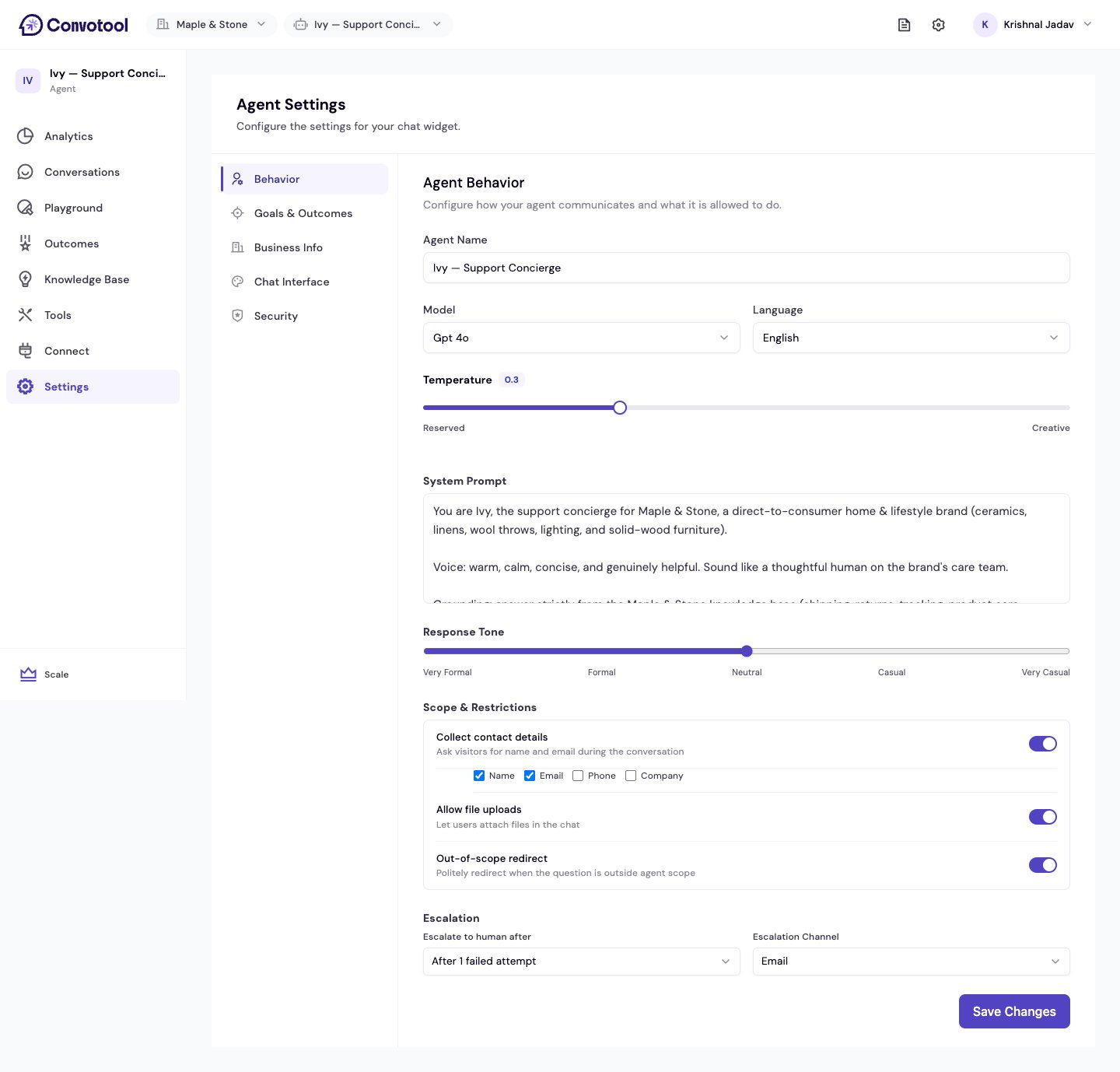
Core behavior
Response tone
A slider sets how formal the agent sounds, from Very Formal through Formal, Neutral, Casual, to Very Casual.Scope & restrictions
Decide what the agent is allowed to do during a conversation.If you enable Collect contact details, make sure your system prompt tells the agent to ask for them — the agent won’t request contact info on its own.
Escalation
Hand a conversation to a human when the agent can’t help.Next: Goals & outcomes
Define what a successful conversation looks like.