

Connect Messenger
1
Open the Connect page
Select your agent, click Connect in the sidebar, and find Facebook Messenger in the Messaging section.
2
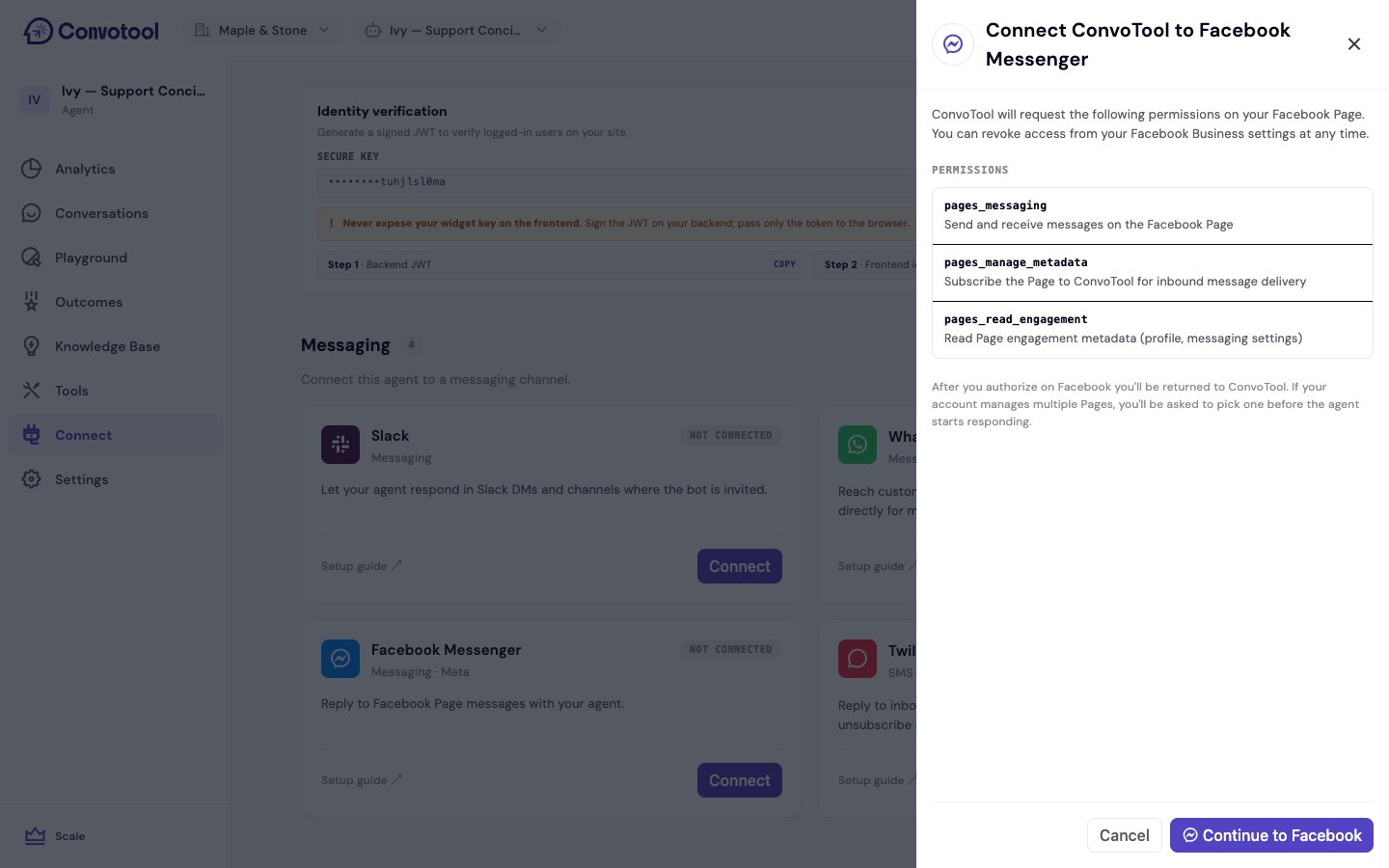
Review the access ConvoTool requests
Click Connect. ConvoTool shows the Facebook permissions it will request before redirecting you.
3
Authorize in Facebook
You’re taken to Facebook to approve access. After approving, you’re returned to ConvoTool.
4
Pick a Page (if you manage more than one)
If your Facebook account manages multiple Pages, ConvoTool shows a picker so you can choose which Page the agent replies for.
Permissions ConvoTool requests
After connecting
The Messenger card shows the connected Page name. The agent now replies to messages sent to that Page in Messenger.Each Facebook Page can be linked to one agent. If the Page is already connected to another agent, ConvoTool prompts you to Replace and connect.
Next: Twilio SMS
Reply to inbound text messages on a Twilio number.