

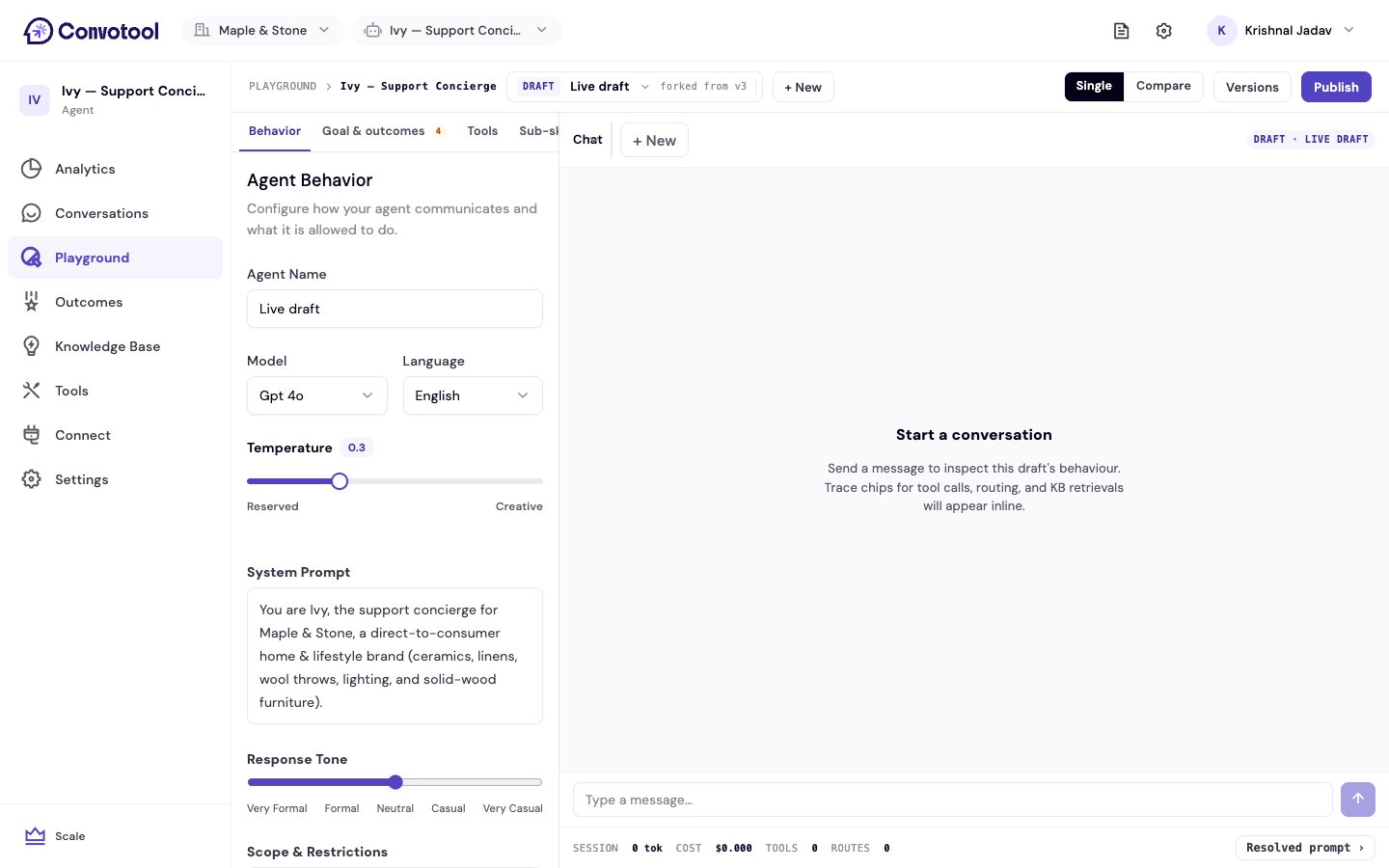
How it works
The Playground has two halves:- Config editor (left) — edit the draft’s Behavior, Goal & outcomes, and Tools, the same settings you’d find in Agent settings. A badge marks how many changes differ from the live agent.
- Chat panel (right) — talk to the draft like a customer would and watch it respond in real time.
1
Edit a draft
Change the model, prompt, tools, or goals in the config editor. Your edits live in a draft, not on the live agent.
2
Test in chat
Send real questions and see how the draft answers. Inspect traces and cost to understand each response.
3
Compare (optional)
Use compare mode to run the draft side by side with another draft or the live agent.
4
Publish
When the draft is right, publish it to make it live. Every publish is saved to version history.
Explore the Playground
Drafts
Create, switch, and publish draft configurations.
Compare mode
Test two versions side by side with one shared message box.
Versions & rollback
Review published versions and roll back when needed.
Trace & debug
See tool calls, retrieved context, and per-session cost.
Playground chats are test sessions for trying out a draft — they’re separate from the real conversations your customers have, which appear in the inbox.